AUGUST 2026
Onboarding, crash reports, and a licence with your name on itnews
First launch now greets you properly: pick a room, sign your name, and the beta licence is yours. A “Start Here” book teaches the app from inside a real manuscript.
Books, chapters and sections. Comments, notes and tracked changes. Your words in files you own. No cloud, no account, nothing watching you type.


Quillard was built for people who write for a living, and for the editors who work with them. Every form is a first-class citizen here:
And here is what a day in it actually looks like.
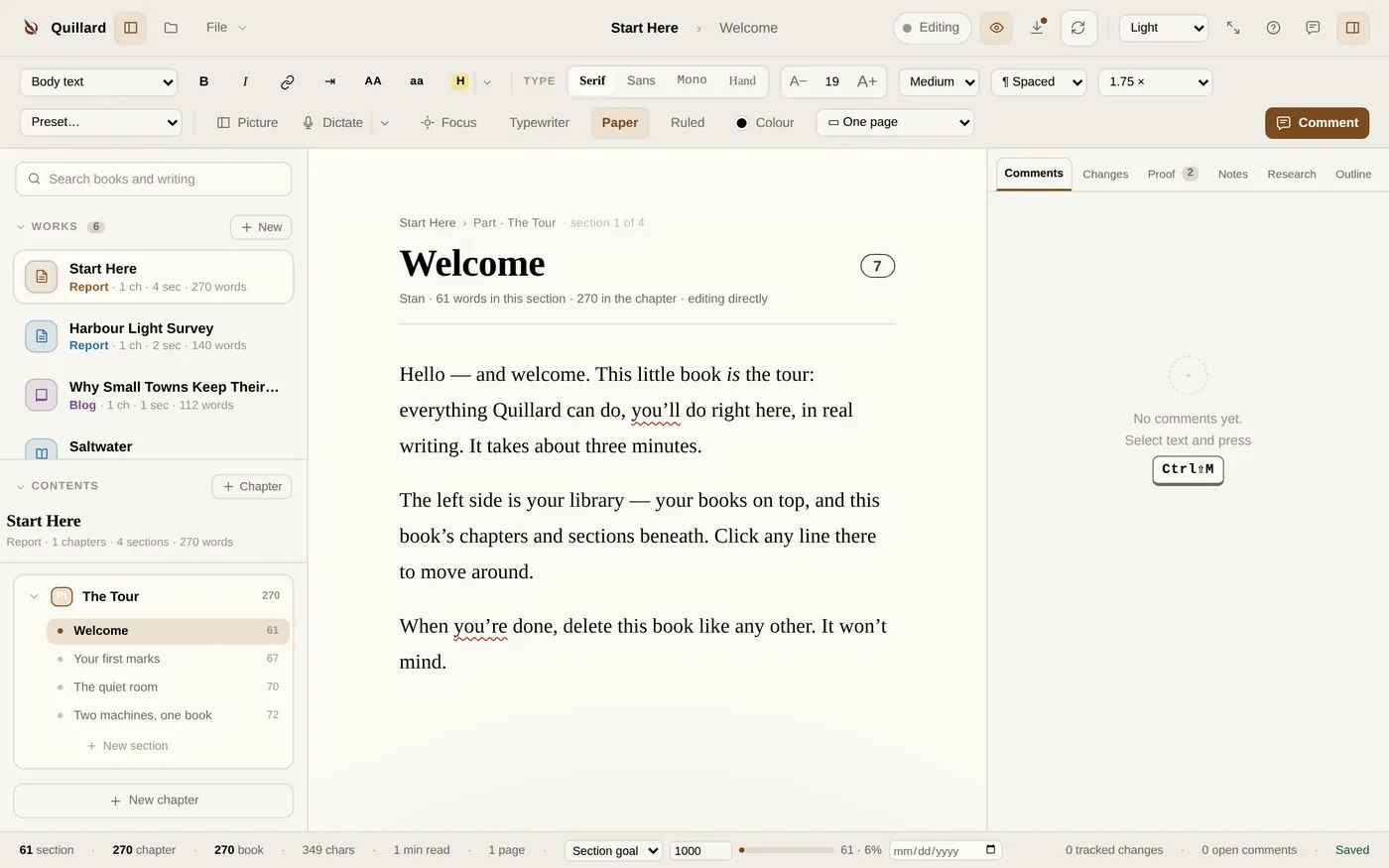
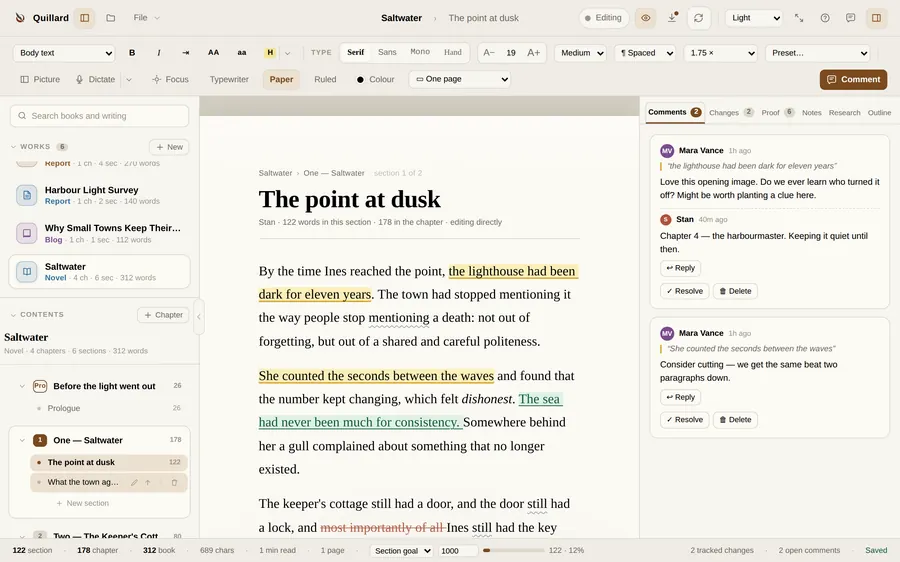
Every piece of writing is a book, a novel, a short story, an essay, a report, a screenplay, a blog post, with chapters and sections inside. You always know where you are, and how much of it there is.
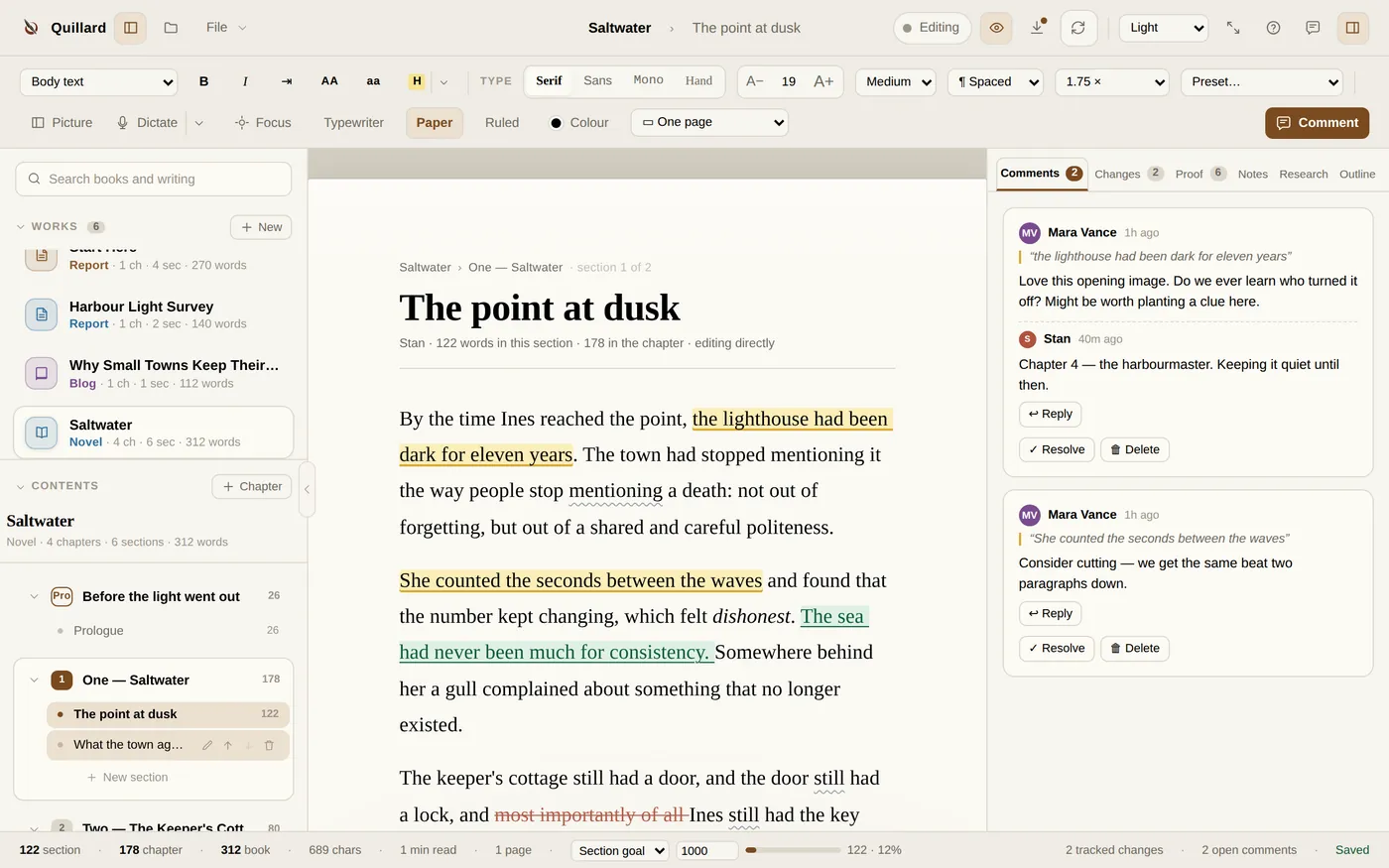
Flip on Suggesting and every edit is marked with its author, insertions, deletions, the lot, ready to be accepted or rejected one by one or all at once.
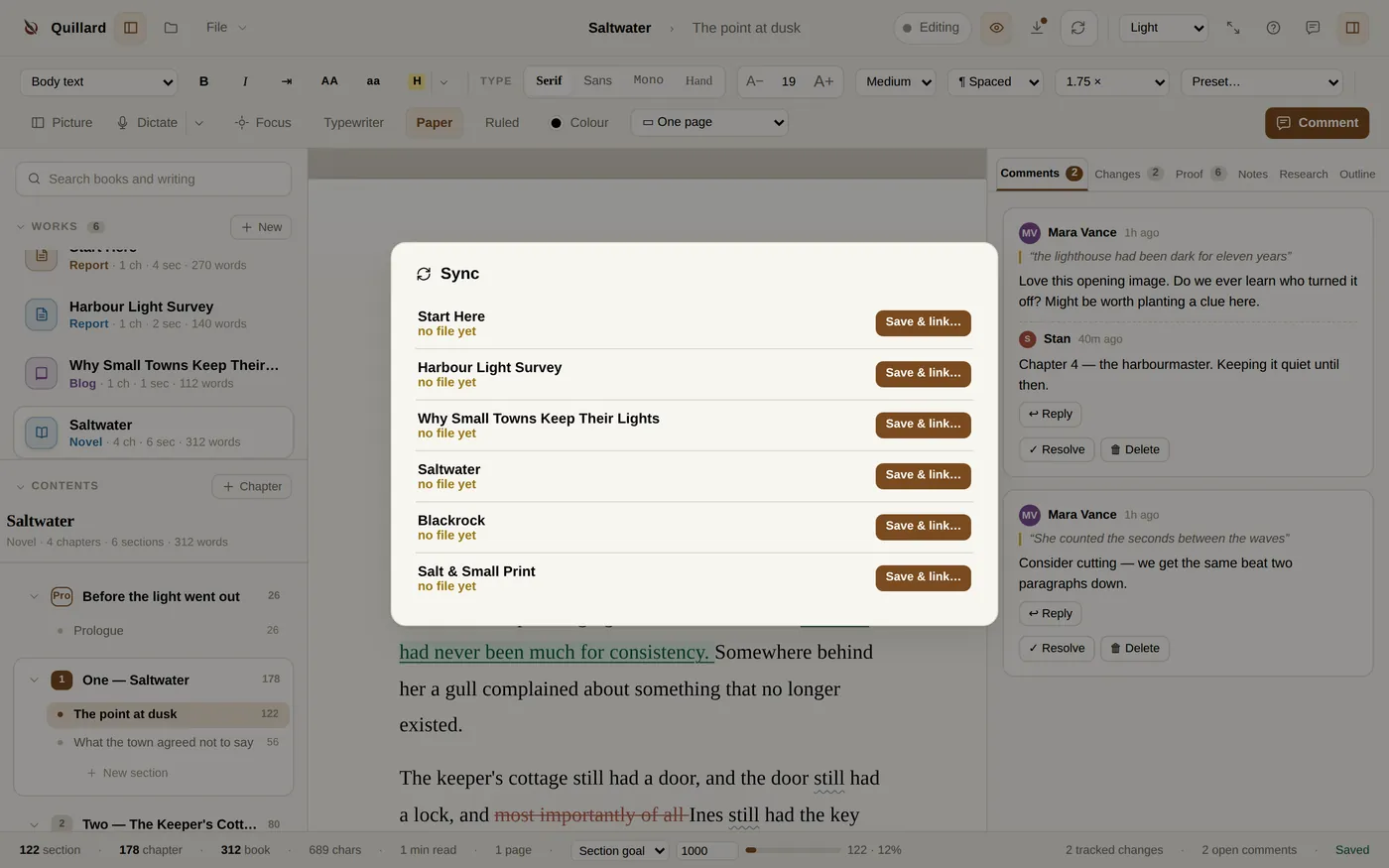
A book saves as a .quill file, a real file you can see, copy and back up. Put it in any folder two machines share and they stay in step.
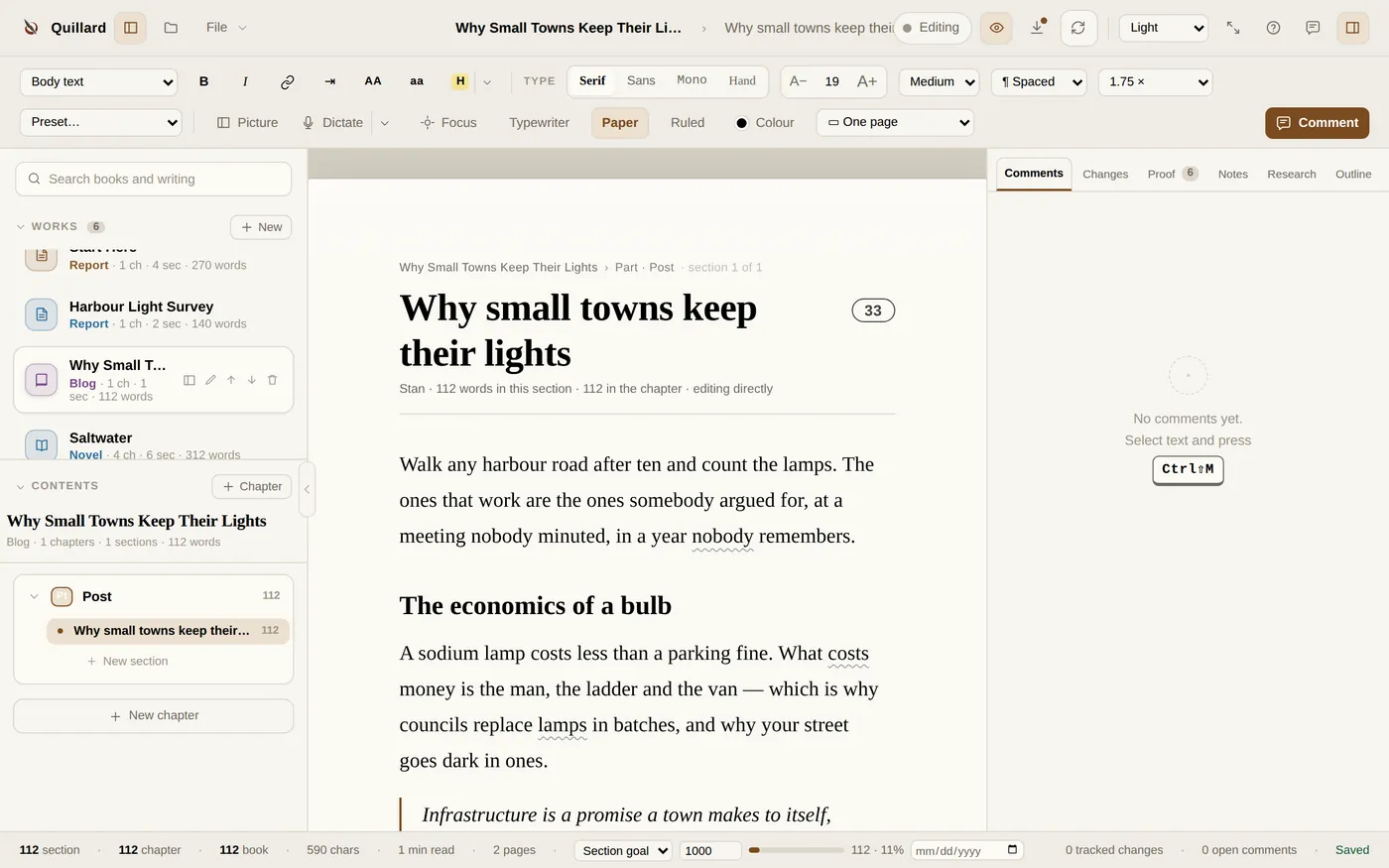
Reports and blog posts get their own toolkit, the pieces of newsroom software worth keeping, without the newsroom.
Everything a working writer reaches for a hundred times a day sits on a key, and a quiet set of checkers reads over your shoulder without ever grabbing the wheel.
Paired machines carry a writers’ chat: pin a line, ask a question, answer from the other desk.
The speech engine lives on your machine, offline. Nothing you say goes anywhere.
anchored to the exact words they’re about
Clippings, notes and sticky cards pinned beside the manuscript, out of the text’s way.
Chapters, sections and word counts in one sweep.
Set a date per piece. It blinks orange as time thins, red when it’s gone. That’s all it does.
When the other machine saves, when a book arrives, when the bell is worth ringing. Never more.
Focus and Zen strip everything but the page, and dictation keeps typing while you pace.
Your manuscript leaves the way editors expect it.
English and Spanish, switchable any time, spellcheck included.
Even the free beta. Works forever, offline.
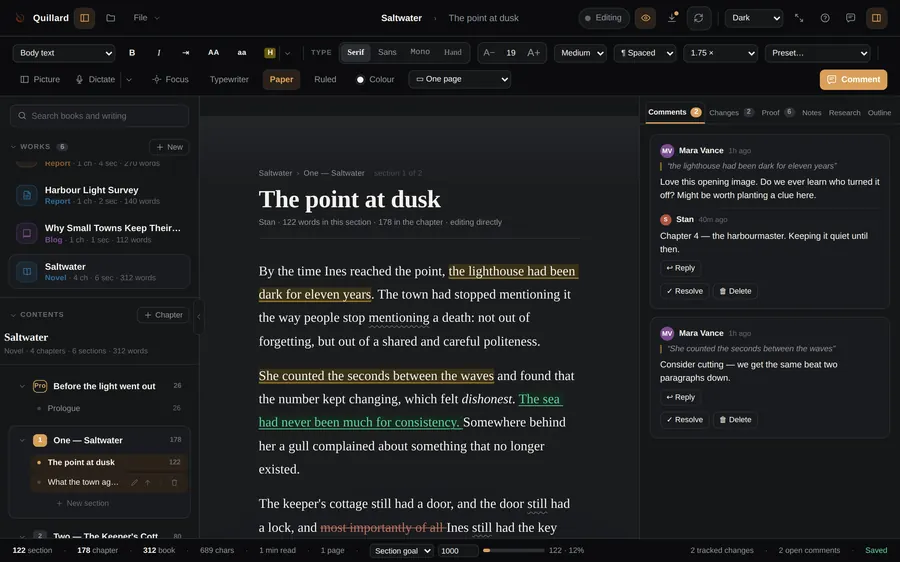
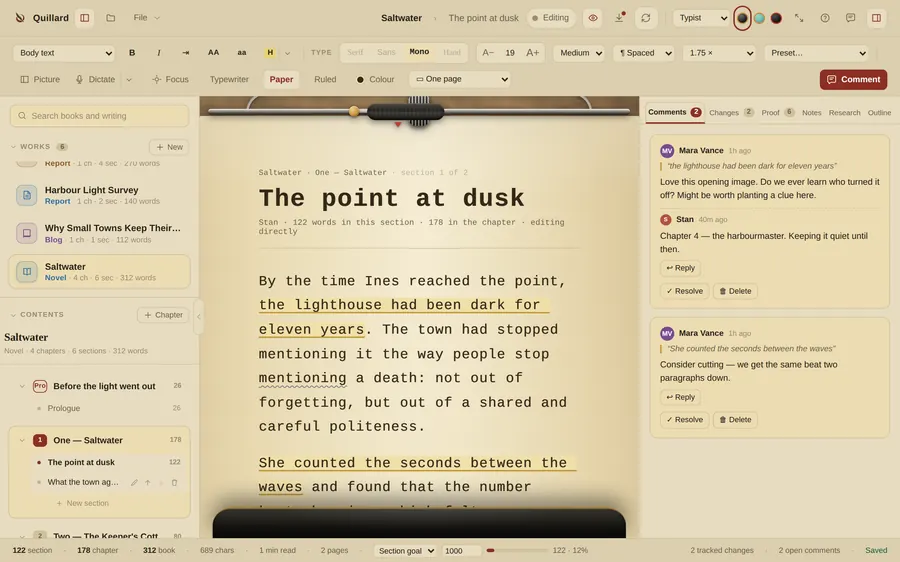
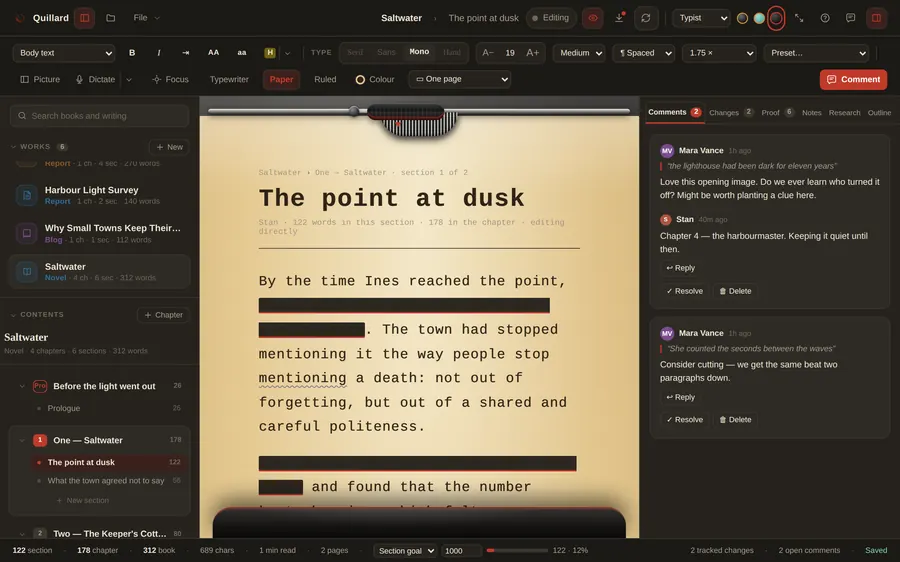
A theme in Quillard isn’t a colour swap, it’s a whole room. A wood desk with a black steel typewriter whose carriage follows your cursor. A CP/M screen from 1985. Green phosphor burning in a dark study. Every room has its own sound, if you want it.
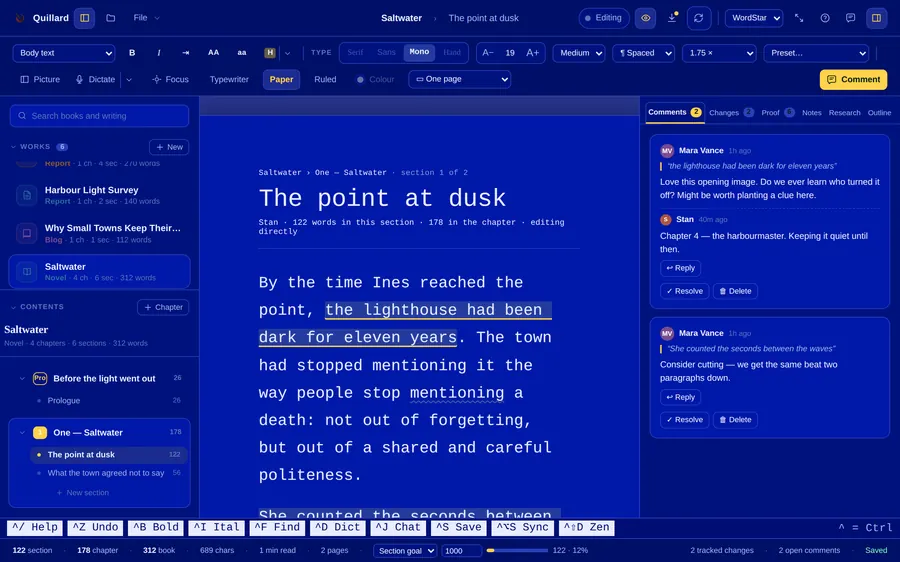
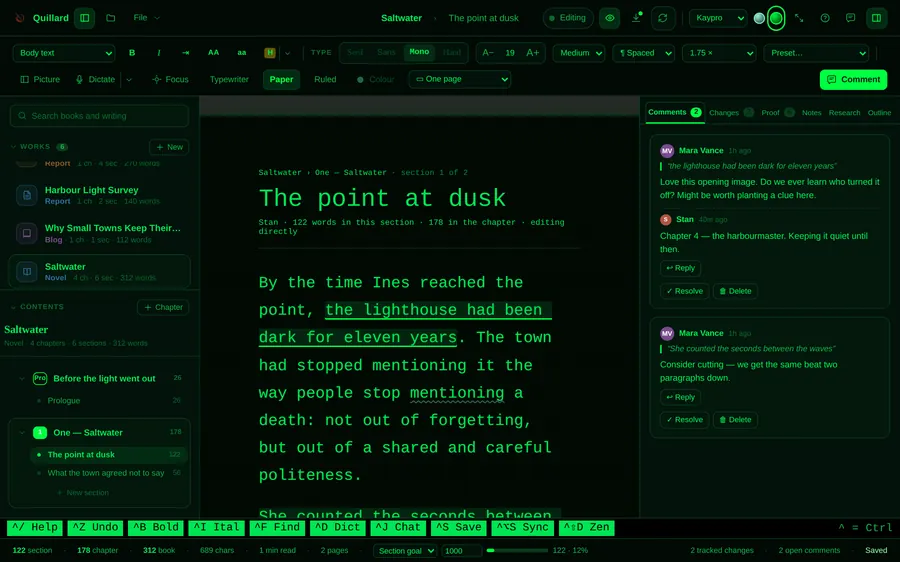
Short, honest notes whenever something ships. The two most recent below.
First launch now greets you properly: pick a room, sign your name, and the beta licence is yours. A “Start Here” book teaches the app from inside a real manuscript.
The installer went on a diet, Windows ships a proper installer, checksums are published with every build, and updates check quietly once a day.
During beta, yes, fully. Every copy is licensed to its writer by name. When 1.0 arrives it becomes a one-time purchase, and beta writers get a discount; the pricing page has the whole promise. Nothing you write is ever held hostage: your files stay yours and stay readable, licensed or not.
That’s macOS being cautious about beta apps that aren’t yet notarized. Open Terminal and runxattr -cr /Applications/Quillard.app once, then it opens normally. Signed and notarized builds are coming before launch.
Same story: new beta, unsigned installer. Click “More info → Run anyway”, and check the SHA-256 against the published checksums if you like to be sure. Signed installers arrive with 1.0.
No, and that’s the point. You type your name into the app and it’s written to a file on your own disk. That’s the whole ceremony: nothing is registered, sent or counted. We couldn’t email you if we wanted to, because there is no email. At 1.0, buying a key will be the first time you tell us anything at all.
In a .quill file on your disk, plus your library in the app’s data folder. Both are plain files you can copy, back up and version like anything else you own.
The working list, roughly in order: an outliner and corkboard, research import (web pages and PDFs), citations that appear as you type, a compile system for long manuscripts, and templates. The Updates page is where each one lands.