Nine rooms, and one of them is yours
Most writing software offers you a light theme and a dark one, and calls that a choice. Quillard offers rooms: paper and ink and type that go together, chosen as a whole. Light and Sepia are paper. Dark is a study at night. Typist is a typewriter on a wood desk, in three machines. WordStar is blue and yellow on a CRT; Kaypro is a phosphor terminal in two colours, amber or green.
The picker sits in the top bar, and it searches — type “kay” and Kaypro comes up. Your own saved rooms are in the same list, under a heading of their own.
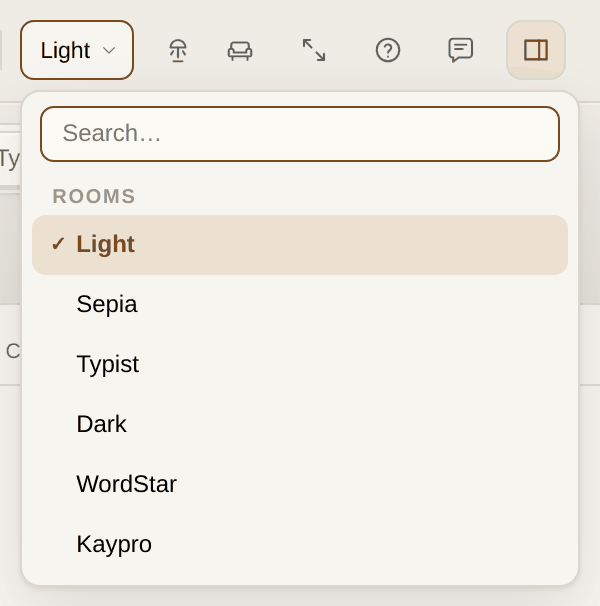
Nothing about a room is cosmetic in the way a theme usually is. The paper has a stock colour and a fibre grain; the page has a shadow; the retro rooms have their own type and their own sounds. Changing rooms changes the desk you are sitting at.
Keeping a room of your own
Set the paper colour, the ink, the type and the ambience the way you want them, then open the rooms button in the top bar and give the arrangement a name. It joins the picker, and it comes back exactly as you left it.
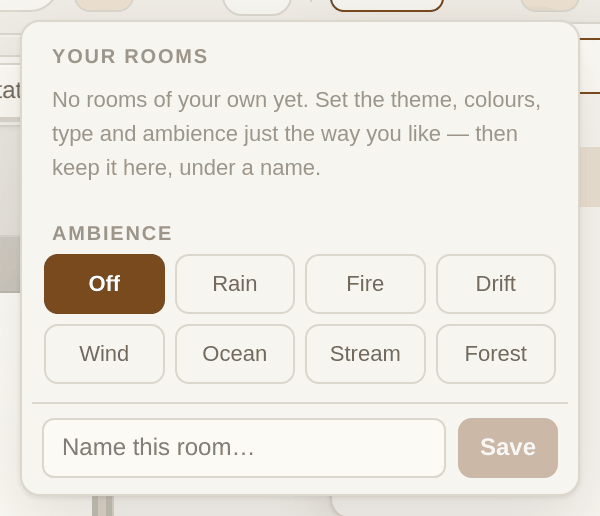
This is worth doing more than once. Writers often want a different room for drafting than for revising: something warm and quiet for the first pass, something plain and bright for the second. Two named rooms and a click between them is the whole of it.
Sound, and the lamp
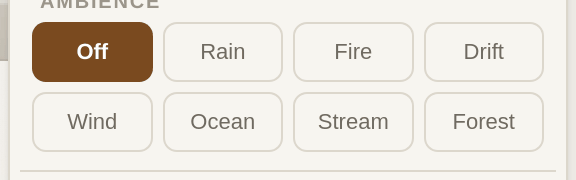
Ambience is rain, fire, forest, wind, ocean, stream, or a slow drift of soft tones. It is off by default and it stays off until you choose otherwise.
The typewriter rooms have machine sounds — keys, the bell, the carriage — and the retro rooms have the harder click of a mechanical keyboard. Both can be silenced without leaving the room.
The lamp is one click in the header. The room dims and a warm light pools over the page, following it as you scroll. It is the closest thing here to a mood, and it costs nothing to try.

Paper, ruled lines, and the desk row
The Desk row of the format bar holds the four switches that change how the page behaves rather than how it looks.

Paper gives the page real stock colour, grain and a shadow — turn it off and you get a plain field, which some people prefer for long sessions. Ruled draws lines with a margin rule and snaps the text to them. Typewriter keeps the line you are writing where your eyes already are, rather than letting it crawl down the screen.
Focus dims everything but the sentence in hand. ⌘⇧F turns it on and off, and it is the single setting most likely to change how a difficult paragraph feels.
Nothing but the page
Zen goes further than Focus. The bar, the shelf and the count all go, and the page becomes the whole screen. ⌘⇧D, or the button at the right of the top bar.

Escape always brings you home — from Zen, from a menu, from a search. It is the one key that never does anything clever.
The room is not decoration. It is where the work happens, and it should be somewhere you want to sit.